Как сжать PDF для отправки по e-mail
Shrink a PDF that's too big to attach by compressing the scans and photos inside it. Text stays sharp. Free for PDFs up to 50 pages.
Опубликовано · Время чтения: 5 мин
If a PDF is too big to email, compress it: open Compress PDF, choose the file, leave the level on Recommended, click Start and download the smaller copy. Scanned documents and PDFs full of photos often shrink by more than half, while typed text stays exactly as sharp. Compress PDF is free for PDFs up to 50 pages; Pro handles bigger files, and the free workarounds below often do the job too.
How big is too big?
Each email service sets its own attachment limit, and limits change, so check yours. As a rule of thumb, many services cap a single email somewhere around 20-25 MB in total, and work and school accounts can be stricter. Beyond the email itself, the recipient's mailbox may have its own limit.
Aim comfortably under the limit rather than just under it. An email with a 24 MB attachment against a 25 MB cap may still bounce, because the message itself and its encoding take up extra room.
Why the PDF is big in the first place
Almost always, it's images. A PDF of typed text is usually tiny, often well under 1 MB for dozens of pages. What bloats a PDF is:
- Scanned pages, which are really full-page photos, often saved at high resolution.
- Photos placed in the document at their full camera size.
- PDFs made from phone pictures, where every page is a 3-5 MB photo.
The long version is in why is my PDF so big?. The short version: shrink the images and the PDF shrinks with them.
Compress it step by step
- Open Compress PDF. If you aren't signed in, you'll be asked to sign up free first.
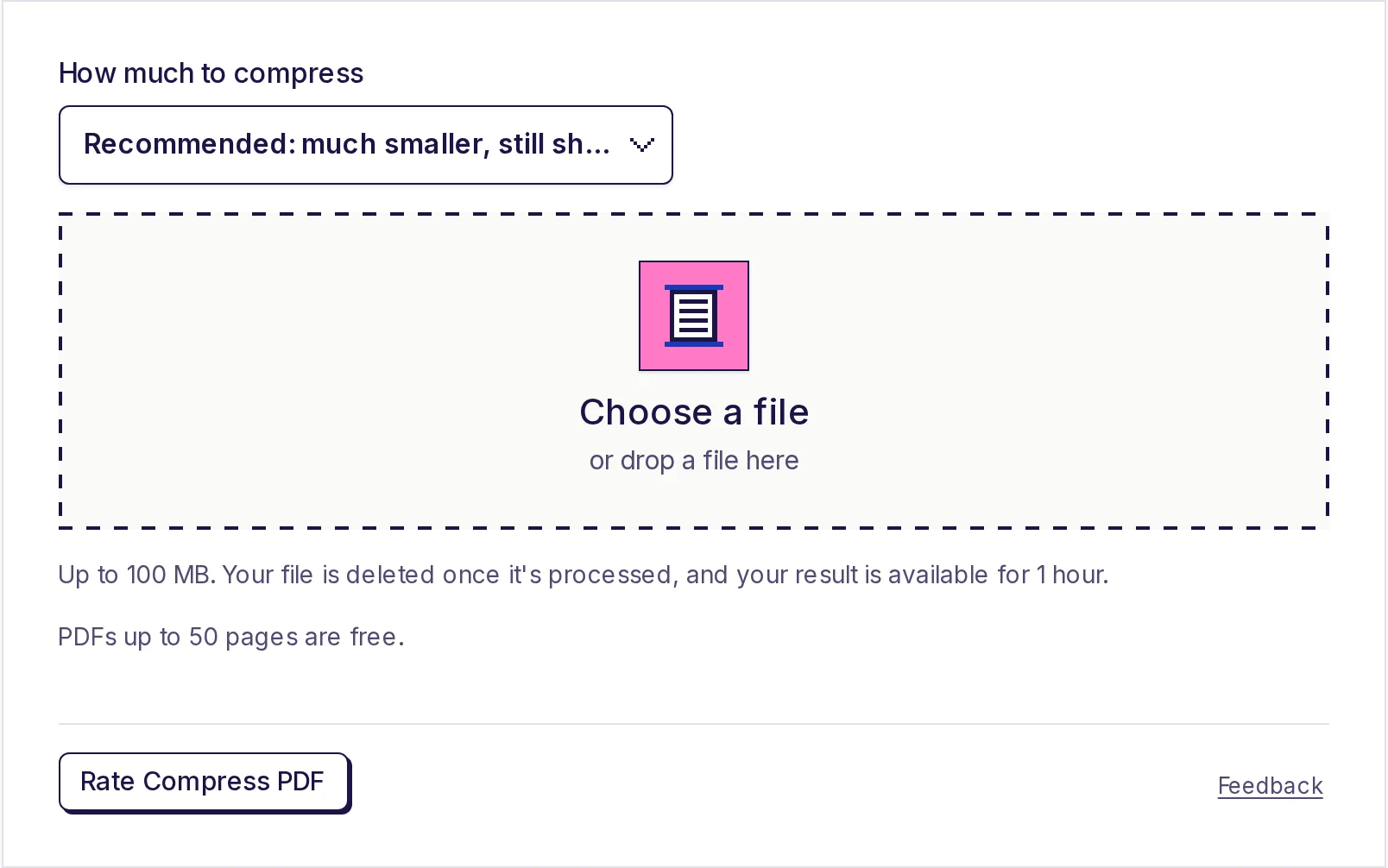
- Under How much to compress, pick a level (see the table below). Recommended is the default.
- Click Choose a file and pick your PDF (up to 100 MB).
- Click Start. A progress percentage shows while it works.
- Click Download result. Your download is available for 1 hour.
Which level to choose
| Level | What it does to images | Use it when |
|---|---|---|
| Recommended | Keeps about 150 pixels per inch of page, good JPEG quality | Emailing documents people will read on screen or print at home. Best balance. |
| Light | Keeps about 200 pixels per inch, higher quality | The PDF will be printed properly, or has fine detail like small print in a photo |
| Strong | Keeps about 100 pixels per inch, lower quality | You need the smallest possible file and the pages are mainly for reading on screen |
Only images are touched. Typed text, lines, drawings and fonts are left exactly as they are at every level, so a contract with a few photos keeps perfectly crisp text. Images that are already at or below the level's resolution aren't scaled down (though they may be re-saved more efficiently), and black-and-white scans that are already compact are left alone.
Try Recommended first. Open the result and zoom in on the smallest text in a scanned page. If it's clear and the file is small enough, you're done. If it's still too big, try Strong; if it looks rough, try Light.
If the PDF can't get smaller
Some PDFs are already lean, usually ones that are mostly typed text or that were compressed before. If compressing would save less than about a tenth of the size, the tool tells you the PDF is already about as small as it can get, leaves it unchanged and doesn't count it against your allowance.
Free ways to get under the limit
Compress PDF is the most direct fix, but several free tools on EveryApp can also get a PDF under an email limit, and they run on your device without uploading anything:
- Send it in parts. Split the PDF into two or three files with the free PDF splitter and attach them to separate emails. No quality is lost. See how to split a PDF into separate files.
- Leave out what isn't needed. Blank pages, duplicate scans, and terms and conditions pages all add size. Remove them with the free PDF page remover.
- Rebuild a photo PDF smaller. If you made the PDF from phone photos, compress the photos with the free image compressor (JPG, around 70% quality; it refuses photos above about 16.7 megapixels and doesn't open HEIC) and make the PDF again with the JPG to PDF converter. The scanning for online forms guide shows exactly how.
And if none of these suit, sharing a link from a cloud storage service instead of attaching the file avoids attachment limits altogether.
Free size, and what happens to your file
Compress PDF is free for PDFs up to 50 pages, with no daily limit. For bigger files, see Pro on the pricing page.
Because compression runs on our servers, your PDF is uploaded. It's deleted as soon as it's compressed, and the smaller PDF is available to download for 1 hour, then deleted too. We don't look at, share or reuse your files.
Compress your PDF now
Open Compress PDF, keep the Recommended level and download a PDF that fits in an email. Or split it with the free PDF splitter and send it in parts.
Частые вопросы
- Вопрос: do I make a PDF small enough to email?
- Compress the images inside it with Compress PDF on the Recommended level. Scanned and photo-heavy PDFs often shrink by more than half. Alternatively, split it into parts with the free PDF splitter.
- Will compressing a PDF make the text blurry?
- No. Typed text, lines and fonts are left exactly as they are. Only scans and photos are resized and re-saved.
- Вопрос: Compress PDF free?
- Yes, for PDFs up to 50 pages, with no daily limit. Pro handles bigger files.
- Вопрос: didn't my PDF get much smaller?
- It's probably mostly text, which is already small. If the saving is under about 10%, the PDF is left unchanged and doesn't count toward your allowance.
- Вопрос: compression level should I use for email?
- Recommended. It gives much smaller files while keeping scans readable and printable at home.
- Вопрос: happens to my PDF after I upload it?
- It's deleted as soon as it's compressed. The smaller PDF is available to download for 1 hour, then deleted.
Инструменты для PDF
Попробуйте Сжать PDF
Бесплатно, без регистрации, без дневного лимита. Уменьшите PDF для отправки по почте и загрузки с ограничением размера, сжав фото и отсканированные страницы внутри него.