Cách đến Compress a PDF đến 1 MB cho Online Form Uploads
Hitting a 1 MB upload cap on a form portal: which compression level đến use, và what đến do nếu a scanned PDF stays too big after compressing.
Đăng ngày · 5 phút đọc
To compress a PDF đến 1 MB, open Compress PDF, leave level on Recommended, và compress. Most scanned documents of a handful of pages come out under 1 MB at that level với văn bản still sharp. Still over? Compress original again on Strong, và nếu a long scan stays too big, rebuild it từ smaller images hoặc split it. Compress PDF là miễn phí cho PDFs up đến 50 pages.
A 1 MB limit là one of most common caps on trực tuyến forms: government services, state và central recruitment portals, scholarship schemes, bank KYC và university applications all use it cho document uploads. It's also roughly where many people first hit a wall, because a single page scanned at a copier's default settings có thể be 1-3 MB on its own.
Bao nhiêu room 1 MB gives bạn
1 MB là 1,024 KB on Windows và in EveryApp, though some portals count 1,000 KB. Aim cho about 900 KB.
| Pages | Budget per page | Điều gì that needs |
|---|---|---|
| 1-2 | 450-900 KB | Almost any scan fits after Recommended |
| 3-5 | 180-300 KB | Recommended usually; Strong cho colour scans |
| 6-10 | 90-150 KB | Strong, và possibly a rebuild |
| 10+ | under 90 KB | Split it, hoặc rebuild at a low resolution |
The per-page số là one đến watch. A 12-page bundle at 1 MB leaves about 75 KB a page, which là tight cho anything but plain greyscale văn bản.
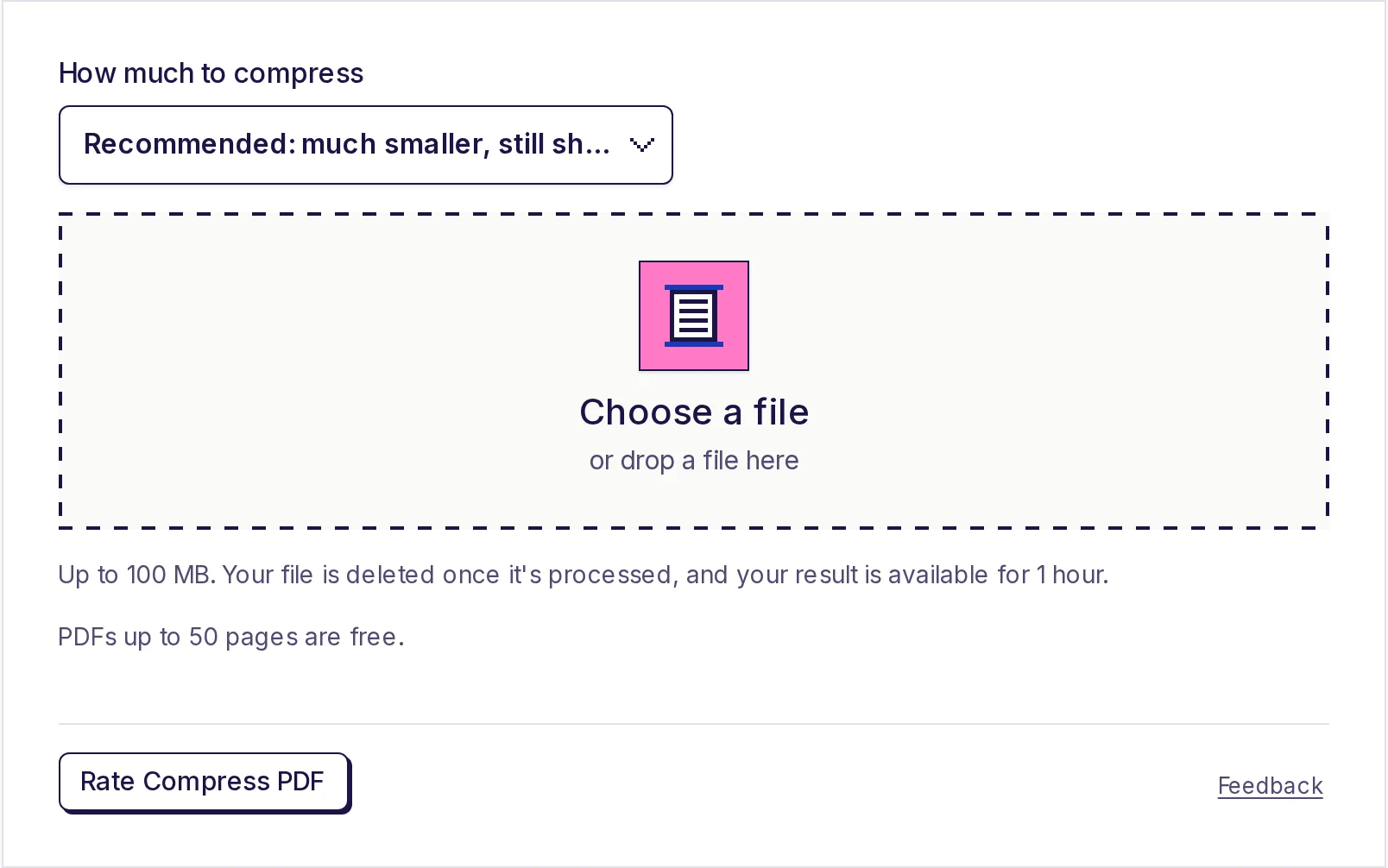
Step by step
- Mở Compress PDF. Nếu bạn're not signed in, sign up miễn phí first.
- Under Bao nhiêu đến compress, choose a level. Start với Recommended: much smaller, still sharp.
- Nhấp Chọn a tệp và pick PDF (up đến 100 MB).
- Nhấp Start và wait cho progress đến finish.
- Nhấp Download result. The result là available cho 1 hour.
- Check tệp's size in của bạn tệp manager. Nếu it's under about 900 KB, open it, zoom in on smallest văn bản, và upload.
Which setting gets bạn đến 1 MB
| Level | Keeps about | Dùng it khi |
|---|---|---|
| Light | 200 pixels per inch, high JPEG quality | You're only slightly over 1 MB, hoặc document has fine print bạn must keep |
| Recommended | 150 pixels per inch, good JPEG quality | The usual choice; try it first |
| Strong | 100 pixels per inch, lower JPEG quality | Recommended wasn't enough, hoặc there là many pages |
Always compress original again at a different level, rather than compressing compressed copy. Each pass of JPEG re-saving loses a little more detail.
Only scans và photos là shrunk. Typed văn bản, lines và fonts stay as they là at every level. Nếu của bạn PDF là mostly typed và still over 1 MB, cause là something else, like dozens of pages hoặc a large embedded hình ảnh compressor có thể't touch, và tool tells bạn it's already about as small as it có thể get (a saving under about 10% isn't applied hoặc counted).
Nếu scan stays too big
Some scans resist: very long bundles, colour scans với busy backgrounds, hoặc black-và-white fax-style scans compressor leaves alone because they're usually already compact. Miễn phí options that work on của bạn device:
Lower hình ảnh quality before making PDF. Nếu bạn're making PDF từ photos hoặc scanner images, this là most effective fix. Resize each page hình ảnh đến about 1200 pixels wide với free image resizer, compress it as JPG at about 70% với free image compressor, then build PDF với free JPG to PDF converter. Văn bản pages typically land around 100-250 KB each, so four hoặc five pages fit under 1 MB. Our scanning guide for online forms has full method.
Rescan với better settings. Nếu bạn're at a scanner, choose 150-200 dpi và greyscale cho plain văn bản documents. The PDF comes out a fraction of size of a 300 dpi colour scan.
Split into uploads form actually asks cho. Many portals have separate slots cho each document. Dùng free PDF splitter với A PDF cho each range (cho example 1-2, 3-4, 5-) so each certificate là its own tệp, each far below 1 MB.
Drop pages nobody asked cho. Blank backs, instruction pages và duplicates add size. To shed their KB, remove them với free PDF page remover. It builds a new tệp từ pages bạn keep, so their KB really go.
India form-portal tips
- Read notice cho format too, not just size. Many portals want PDF cho documents và JPG cho photos và signatures, và some set a minimum size as well.
- Some forms want all documents merged into one tệp under 1 MB, others one tệp per document. Nếu it's one tệp, compress each document first, then join them với free PDF merger; check merged size.
- Upload in good time before deadlines. Portals là often slow near last date, và an upload that times out là easy đến mistake cho a size problem.
- Keep compressed copy với a clear name, such as
degree-certificate-1mb.pdf, so bạn có thể reuse it cho next application.
For tighter caps, see compress a PDF to 500 KB và compress a PDF to 200 KB. For email attachments rather than forms, see compressing a PDF for email.
Trying Compress PDF miễn phí
Compress PDF là miễn phí cho PDFs up đến 50 pages, với no daily limit. Pro handles files up đến 100 MB; see pricing. Your PDF là uploaded cho processing, deleted as soon as it's compressed, và smaller copy là available cho 1 hour.
Get it under 1 MB now
Mở Compress PDF, start với Recommended, và switch đến Strong only nếu bạn need đến. Nếu a long scan won't fit, rebuild it từ smaller images với free JPG to PDF converter.
Câu hỏi thường gặp
- Làm thế nào để compress a PDF đến less than 1 MB?
- Dùng Compress PDF on Recommended. Nếu it's still over, compress original on Strong, hoặc rebuild PDF từ images resized đến about 1200 pixels wide.
- Will compressing đến 1 MB make my documents unreadable?
- Usually not. Recommended keeps about 150 pixels per inch, which là clear on screen và in print. Zoom in on smallest văn bản đến check.
- Vì sao my one-page scan over 1 MB?
- Scanners và copiers often save at 300 dpi hoặc more in colour. That's far more detail than a form needs, và compressing removes most of it.
- Tôi có nên compress already-compressed tệp again?
- No. Go back đến original và choose a stronger level. Re-compressing a compressed tệp loses detail without saving much.
- Nếu form wants all documents in one 1 MB tệp?
- Compress each document first, merge them với miễn phí PDF merger, và check tổng. Nếu it's over, rebuild heaviest documents từ smaller images.
Công cụ PDF
Dùng thử Nén PDF
Miễn phí, không cần đăng ký, không giới hạn mỗi ngày. Làm PDF nhỏ hơn để vừa giới hạn email và tải lên bằng cách thu nhỏ ảnh và trang scan bên trong.
Cũng hữu ích
- Tách PDFChia một PDF thành nhiều tệp, chỉ lấy những trang bạn cần vào một PDF mới, hoặc lưu mỗi trang thành một PDF riêng. Nhập trang như 1-3, 5, 8- và tải về một PDF, hoặc một tệp ZIP khi có nhiều tệp.
- Nén ảnhLàm ảnh nhỏ gọn hơn ngay trên trình duyệt. Nén cùng lúc tối đa 20 ảnh JPG, PNG hoặc WebP, chọn chất lượng từ 10% đến 100% và xem dung lượng mới của từng tệp trước khi tải về. Với Giữ định dạng, ảnh JPG, PNG hoặc WebP không bao giờ lớn hơn bản gốc, và ảnh của bạn vẫn ở trên thiết bị.