CSV vs TSV: Commas or Tabs? Which to Use (Free Converter)
CSV uses commas and must quote values that contain them; TSV uses tabs, which rarely appear in data. Quoting rules, which to use, and a free converter.
Published · 5 min read
CSV vs TSV is commas vs tabs. Both store a table as plain text, one row per line. CSV (comma-separated values) is the more widely supported, but values containing commas, quotes or line breaks must be wrapped in quotes. TSV (tab-separated values) uses tabs, which almost never appear in real data, so it rarely needs quoting and pastes straight into a spreadsheet. Switch between them with the free CSV to TSV converter, which keeps every value in its column.
The same table in both formats
| name | city | note |
|---|---|---|
| Ada | London, UK | Said "hi" |
| Ravi | Pune | two lines |
As CSV:
name,city,note
Ada,"London, UK","Said ""hi"""
Ravi,Pune,"two
lines"
As TSV (tabs shown as →):
name→city→note
Ada→London, UK→"Said ""hi"""
Ravi→Pune→"two
lines"
Look at "London, UK". In CSV it needs quotes, because otherwise the comma would split it into two columns. In TSV it doesn't; a comma is just a character. The values with quote marks and line breaks are still quoted in both, which is what our converter does to keep them safe.
CSV vs TSV side by side
| CSV | TSV | |
|---|---|---|
| Separator | Comma (,), or semicolon in some regions |
Tab |
| Quoting needed | Often: commas in addresses, numbers like 1,200, text | Rarely: only tabs, quotes or line breaks in values |
| Human readability | Columns don't line up | Columns roughly line up in a text editor |
| Paste into Excel or Google Sheets | Lands in one column unless imported | Splits into columns automatically |
| Support in apps and APIs | Nearly universal | Common, slightly less universal |
| Common standard | RFC 4180 describes the usual quoting rules | A simple IANA format: no tabs inside fields |
| Typical file extension | .csv |
.tsv, .tab or .txt |
How quoting works in CSV
Most CSV readers follow the rules described in RFC 4180:
- Fields are separated by commas, and rows by line breaks.
- A field containing a comma, a double quote or a line break must be wrapped in double quotes.
- A double quote inside a quoted field is written twice:
Said "hi"becomes"Said ""hi""".
These rules are simple, but hand-made or exported files often break them: an unquoted address, a stray quote mark, a missing closing quote. That's when columns shift and data lands in the wrong place. Our converter reads quotes properly and reports problems such as "A quoted value that starts on line 3 is never closed. Check for a missing "."
The semicolon twist
In many European countries, and anywhere the comma is the decimal mark (3,5 for three and a half), Excel saves and opens "CSV" files with semicolons instead. So a CSV from a German colleague may look like name;price with 3,5 inside. The free CSV to TSV converter detects comma, semicolon and pipe separators automatically, and the status line tells you what it found, for example "3 rows, read as semicolon-separated." Converting to TSV removes the ambiguity, because a tab means the same thing everywhere.
Which tools prefer which
- Spreadsheets. Excel, Google Sheets and LibreOffice open both, but on the clipboard they speak TSV. Copy a range of cells and paste it into a text editor: you get tabs. That's why TSV pastes perfectly into a sheet.
- Databases and analytics. Import tools for most databases accept CSV by default and a tab delimiter as an option. Bioinformatics and many command-line workflows lean toward TSV, since
cut,awkandsortsplit on tabs easily. - Web apps and APIs. CSV is the usual "Export" and "Import" format: contact lists, bank statements, e-commerce product feeds.
- Code. Every major language has a CSV library. For TSV, the same libraries usually work with the delimiter set to a tab.
When to choose CSV
- You're sending data to another system, app or person and don't know what they use. CSV is the safe default.
- A tool's import page asks for CSV specifically.
- You'll open it in Excel by double-clicking. (Mind the Excel quirks; see the tips below.)
When to choose TSV
- Your data is full of commas: addresses, descriptions, prices like 1,200, free-text comments.
- You want to paste data into a spreadsheet and have it split into columns straight away.
- You're processing data on the command line.
- You need the file to be readable at a glance in a plain text editor.
Converting between them
- Open the free CSV to TSV converter.
- Choose CSV to TSV or TSV to CSV.
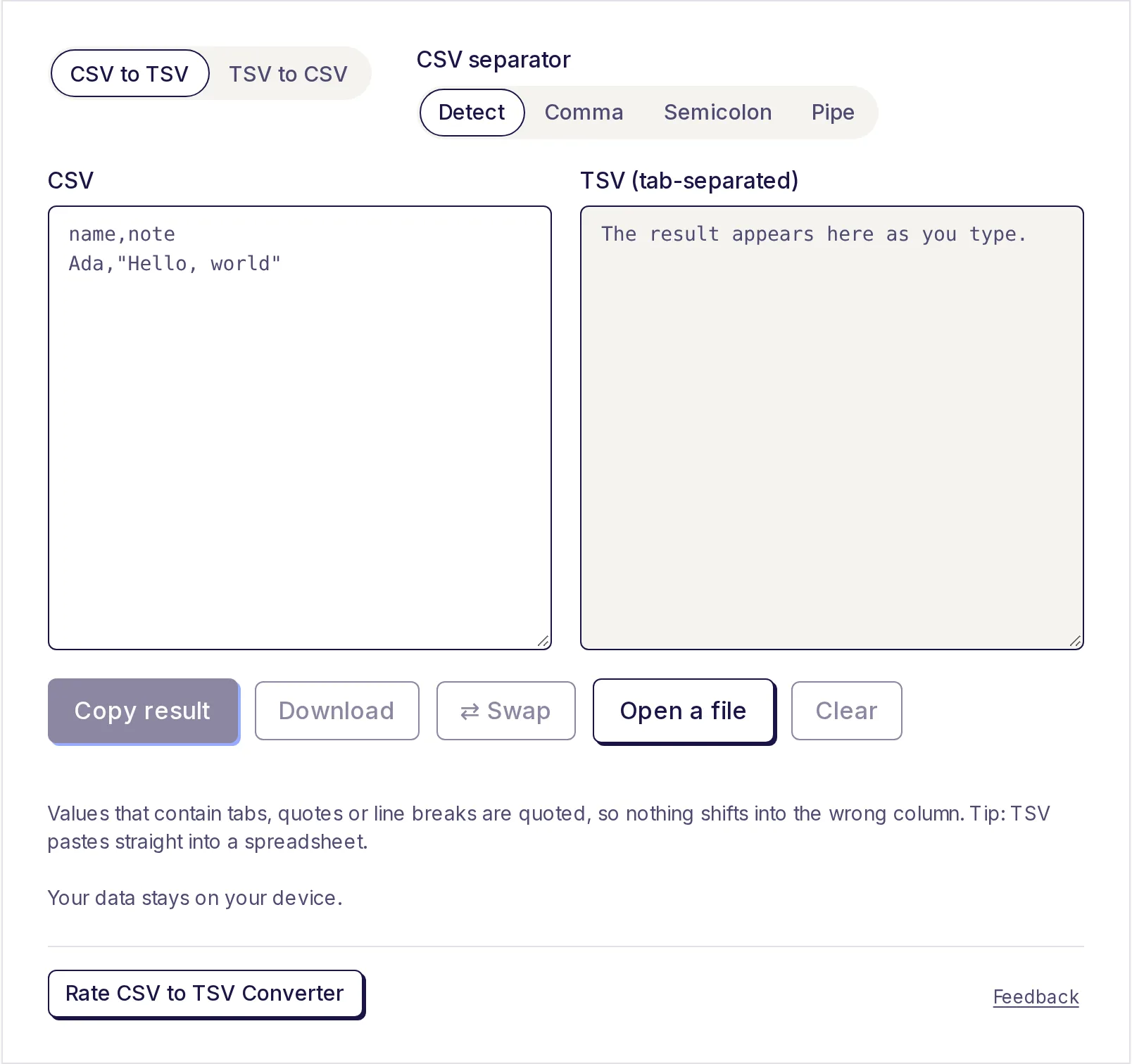
- Paste your data or click Open a file. For CSV, Detect works out the separator; you can also choose Comma, Semicolon or Pipe.
- Click Copy result or Download to save
data.tsvordata.csv. ⇄ Swap sends the result back the other way.
If your data starts as JSON, the JSON to CSV converter builds a CSV (or a semicolon-separated file) from an array of objects. Our guide to converting JSON to CSV for Excel walks through it.
Spreadsheet surprises affect both
Neither format stores data types. A column of postcodes, phone numbers or product codes is just text in the file, and the spreadsheet decides what it "looks like" when it opens it. That's how leading zeros and long numbers get changed. Our tips on stopping Excel mangling CSV data cover the fixes.
Convert yours now
Paste a CSV with awkward commas or a TSV you need to send, and convert it in one step. The free CSV to TSV converter handles quotes and line breaks correctly, works on your device, and never uploads your data.
Frequently asked questions
- What is the difference between CSV and TSV?
- CSV separates values with commas and quotes any value that contains a comma; TSV separates them with tabs, which rarely appear in data, so it seldom needs quotes.
- Is TSV better than CSV?
- For data full of commas or for pasting into spreadsheets, yes. For sharing with other apps and systems, CSV is more widely supported.
- Can Excel open TSV files?
- Yes. Excel opens .tsv and tab-delimited .txt files, and pasting TSV text into a sheet splits it into columns automatically.
- Why does my CSV use semicolons?
- Excel uses semicolons in regions where the comma is the decimal mark. The converter detects semicolons automatically.
- Will values with commas break when I convert?
- No. The converter reads quoted values properly and quotes any value that needs it in the output, so nothing shifts columns.
Developer tools
Try the CSV to TSV Converter
Free, no sign-up, works in your browser. Convert comma-separated (CSV) data to tab-separated (TSV), or TSV back to CSV, as you paste.
Also useful
- JSON to CSV ConverterConvert a JSON array into a CSV file you can open in Excel or Google Sheets, or turn CSV back into JSON, as you paste. Nested objects become columns like user.name, and a preview shows the first rows as a table.
- Remove Line BreaksPaste text copied from a PDF, email or website and remove the unwanted line breaks in one step. Join everything into one line, keep paragraph breaks, or join lines with a comma or any separator, and tidy extra spaces as you go.
- Text ComparePaste two versions of a text to see exactly what changed: removed text in pink, added text in green, side by side or inline. Compare by lines, words or characters, and ignore capitals or extra spaces when they don't matter.